Book a call ↗

Construction · 14 min read · September 30, 2026

Building Tom: An AI System Inside a Construction Company

GreenBuilt Co-Op and Wisdom Renovations scan a room with a phone, then retype the same job into about ten chat bots and a quoting system by hand. Here is the system we are building to replace that, module by module, with what is tested so far and what is not.

What does an AI system inside a construction company actually look like?

It covers one stretch of the business and stops: a lead comes in, and the system carries it through the site visit, the scope and the estimate to the customer accepting and operations taking over. Each role gets its own assistant reading one shared company memory, and a named person approves before anything reaches a customer.

GreenBuilt Co-Op is a construction co-op in Tampa Bay that runs residential renovation work alongside Wisdom Renovations, the renovation contractor in the same operation. The owner did not ask me for a chatbot. He asked for something that sits inside the way his company already works, and he had already named it before I showed up. He calls it Tom. This is a public note on what we are building together, written in the middle of building it rather than after.

So the honest part goes first. As of today, the whole chain has not run end to end on a real job. Two pieces of that chain have run against real job data and passed: the plan reader, on a real MagicPlan report, and the quote engine's arithmetic and payment schedule, against a real job's numbers. Everything else is code with tests around it, waiting on a real job to prove it. I would rather write that down now than describe a finished thing that is not finished, and every number further down is scoped to the exact piece it came from.

GreenBuilt Co-Op logo
GreenBuilt Co-Op, used with the owner's permission.

Related case study

A phone scan of a room becomes a field plan, and the math stays in code

Wisdom Renovations runs residential renovations where one project means three to twenty invoices across about five trades. We built the parser that turns a phone LIDAR scan into a structured field plan, and it scores 100 out of 100 on its golden eval. The invoicing and collections work behind it is the harder half.

See our work

What Tom is, in plain words

Tom is an AI system that lives inside the business instead of beside it. It covers lead to accepted estimate to operations handoff, and it is organized as hats, one assistant per role, all reading the same company memory.

Tom covers one stretch of the business and stops. A lead comes in, and the system carries it through qualification, the site visit, the scope, the estimate, the customer accepting that estimate, and the handoff to operations. It does not touch the build, the schedule after handoff, or the money at the end. Naming the boundary was the first real decision we made, because a system that promises the whole company is a system nobody can check.

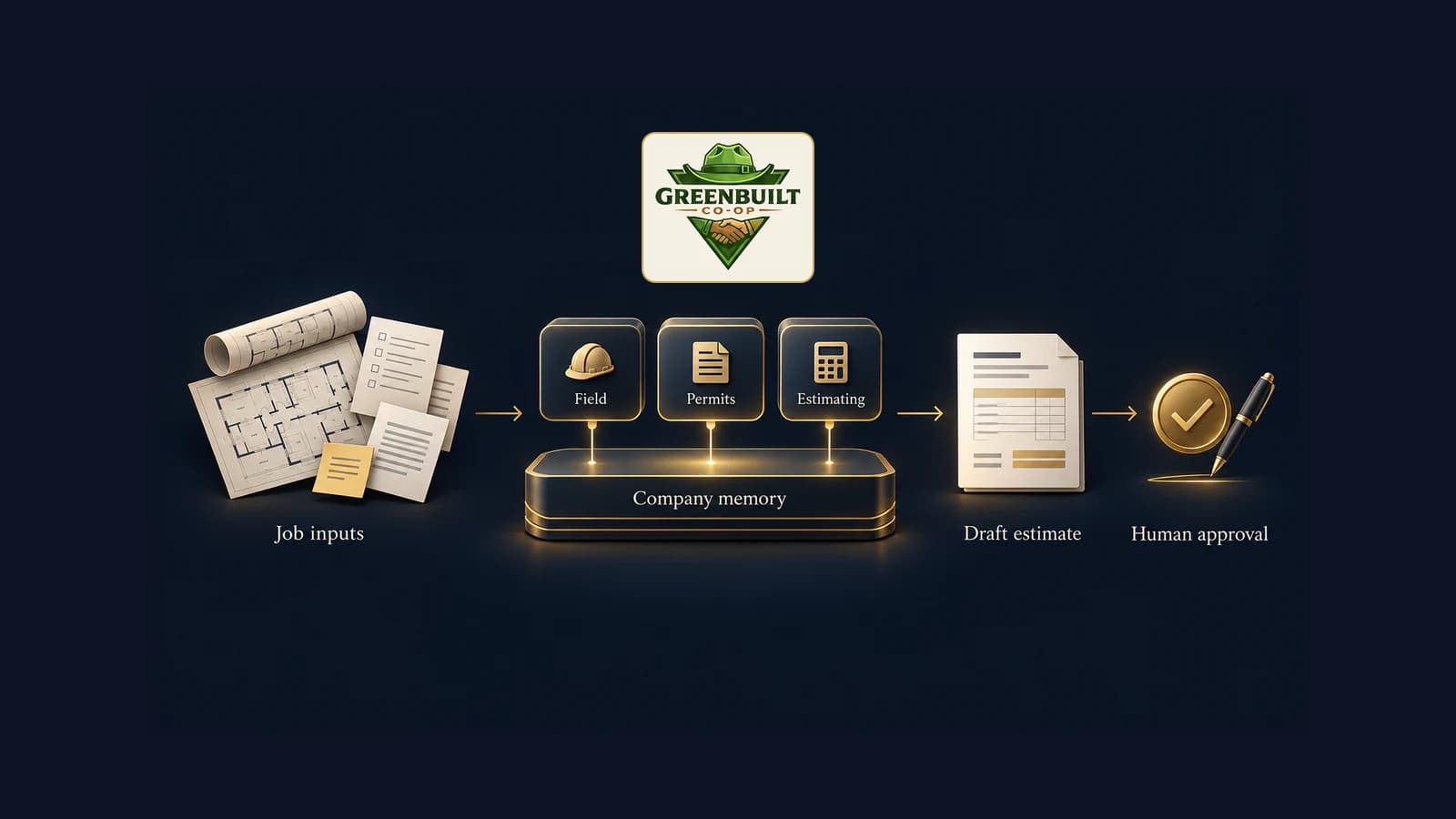
Inside that boundary, Tom is organized as hats. Each role on the team gets its own assistant with its own name and its own permissions. EVIE is the field hat, the one that takes the site scan and the walk recording. JARVIS is the permit hat. HAL is the estimating hat. They all read the same company memory underneath, which is the part that makes them different from ten separate chat threads. A hat with no company memory behind it is a chat window with a name on it.

Diagram: job inputs feed one shared company memory with field, permits and estimating assistants on top, producing a draft estimate that a person approves. The GreenBuilt Co-Op logo sits above it.
One company memory, one assistant per role, and a person approves the draft estimate.

The pain: one job, about ten chat bots, and the same facts typed twice

The scan is fast. What follows is not: a manual PDF export, a hand gather of scope and county records, roughly ten chat bots producing a field plan whose format drifts every time, someone fixing the formatting, then the whole job typed into the quoting system again and the quote built line by line.

Here is how a job runs today, before any of this. A free site visit happens. Somebody scans the rooms with MagicPlan on an iPhone, which uses the phone's LiDAR sensor to capture measurements. There is no integration available to us that pulls that scan straight into the rest of their stack, so the report leaves the phone as a PDF that a person exports by hand. Then the owner gathers the written scope and the county appraiser data himself.

Then it gets long. Roughly ten ChatGPT bots produce a field plan between them, and the format and the logo drift every single time, so somebody has to fix the formatting before anyone can read it. After that, the whole job is typed into Jobber by hand and the quote is built line by line. No single step in that list is wrong. The cost is that the same facts get handled four or five times by four or five people, and every handling is a chance to drop one.

MagicPlan in, a field plan out

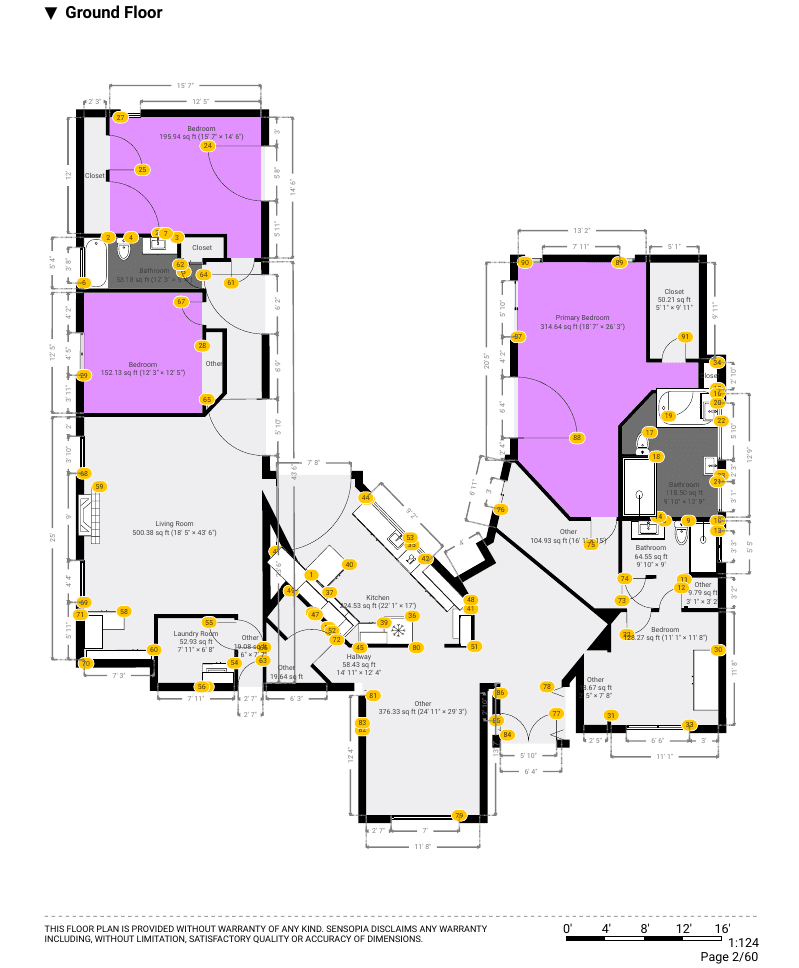
The scan comes off the phone as a PDF report. The plan reader turns that report into rooms as data. On June 24, 2026, it read a real kitchen job's report and returned 18 of 18 rooms with nothing invented, scoring 100 out of 100 on its scoring run.

This is the piece we built first, because it is the piece the rest depends on. The scan comes off the phone as a report with room by room measurements and photos, page after page of it. The plan reader takes that exported report and gives back rooms as data instead of pages as pictures: each room with its dimensions and notes, the scope attached to the job, and the identifier that ties it back to the right job in the quoting system. The rule it is built around is that the job is the record and the address is not, so that two jobs at one address cannot quietly become one.

It has a real result behind it. On June 24, 2026, the reader ran against a real kitchen job's MagicPlan report and returned 18 of 18 rooms, with nothing invented that was not in the report, scoring 100 out of 100 on its scoring run. That is one job on one date, and it is the strongest single result in the build so far. It proves the reader reads a plan correctly. It does not yet prove a time saving, and those are different claims.

A page from an exported MagicPlan report showing a ground floor plan with room names and square footage
A page from a real exported MagicPlan report. Room names and measurements only. The homeowner's name, address, phone number and every price were checked and are not in this image.
What goes inWhat comes back out
The exported MagicPlan report, room by room measurements and photosRooms as data, each with its length, width and notes
The written scope somebody typed up after the walkA scope of work attached to the job record, not to a chat thread
The address and the job typeOne job identity, carrying the quoting system's job id so it lands in the right place

Where takeoff time actually goes

Not into the scan. Into the export, the reformatting, the retyping and rebuilding the quote line by line. We have not put a timer on it yet, and we are not publishing a minutes saved figure that nobody measured.

A takeoff is the step where a physical job becomes a priced list of work: rooms, measurements, linear footage, cabinet runs, and which trade owns which part. Ask an owner where the takeoff time goes and the answer is usually the measuring. On this job it is not. The scan is the fast part. The time sits in the export, the reformatting, the retyping and rebuilding the quote line by line, which is desk work that happens after everyone has left the site.

That is the part the build removes, and this is where I have to be careful. We have not put a timer on it. There is no before and after number yet, because no real job has travelled the whole chain, and the module that records that baseline on named live jobs is still ahead of us. So there is no minutes saved figure in this article. When there is a measured one, it will be published with the jobs it came from.

The modules, one line each

Nine pieces, built and checked one at a time: the audit and foundation, the company memory, the history read in, the field hat, the estimate and draft quote, the permit hat, their own box and spending cap, handover and the numbers, and the long form estimator report.

Tom is broken into modules so each piece can be built, checked and accepted on its own, rather than delivered as one large thing nobody can inspect. Here is every one of them, in the order they get built.

  • Module 0, the audit and the foundation. Already delivered: three years of the owner's chat history catalogued, 325 legacy records moved onto GreenBuilt's own database, and a Jobber dashboard running since July 27.
  • Module 1, the company memory. One record per client, property and job, so two jobs at one address never merge, plus a checked registry of the people and companies involved.
  • Module 2, three years of history read in. Every conversation and file accounted for in one coverage table, with MagicPlan reports read and their dimensions tied back to the job they belong to.
  • Module 3, EVIE, the field hat. The MagicPlan report and the client walk recording go in, and a one page brief each for the electrician and the plumber comes out.
  • Module 4, the estimate and the draft quote. The estimate is drafted in Wisdom's own pricing, a person approves it, and only then does an unsent draft quote appear in Jobber.
  • Module 5, JARVIS, the permit hat. On the customer's signature, a permit task, a job card and a schedule item get created without anyone having to remember.
  • Module 6, GreenBuilt's own box. The system moves onto their hardware and their accounts, with sign-ins per person, a daily spending cap on AI use, and a backup and restore that has to be run for real before the module counts as done.
  • Module 7, handover, corrections and the numbers. Corrections from the field become tests, and a before and after baseline gets recorded on named live jobs.
  • Module 8, the estimator report. A long form priced estimate document, quoted separately if and when the owner wants it.

The order is the argument. The memory and the history come before the hats on purpose, because an assistant with no company memory behind it cannot tell you why a price was what it was on a job two years ago. Build that backwards and you get something that sounds confident and knows nothing.

What is tested, and what is not

Tested: 325 legacy records moved and re-counted, the quote engine's arithmetic and payment schedule against a real job's numbers, and the plan reader on one real job's report. Not tested: the chain end to end, the price catalog beyond 2 of 11 trades, and anything that writes to a live invoice.

Tested, with a receipt behind each one. The 325 legacy records moved onto GreenBuilt's own database and were re-counted by a fresh read: 291 jobs, 20 line items, 8 payment rules and 6 county records, all present. The quote engine's arithmetic and payment schedule passed their test run, and the useful part is what the test caught on the way: two earlier versions of the payment schedule, one living in the code and one in the written notes, were both wrong, and the test found them before a customer ever saw a number. The plan reader is the 18 of 18 above. There is also a candidate build of Tom itself with 115 of 115 engine tests and 129 of 129 application tests passing on a clean install, and its own notes say plainly that those tests use invented data and do not prove a real job journey.

Not tested, said just as plainly. The chain has never run end to end on a real job, and the only two pieces of that chain to have run on real job data are the two named above. The pricing catalog covers 2 of 11 trades on the one real job we measured it against, which is a gap we now know the exact size of and can close. The live job monitor reads the first 50 of roughly 291 jobs on each run, a known limit that is not fixed yet. And one rule is not a limitation but a design choice: Tom never sends a quote and never touches a live invoice. A person approves the estimate first, and only then does an unsent draft appear for a human to send.

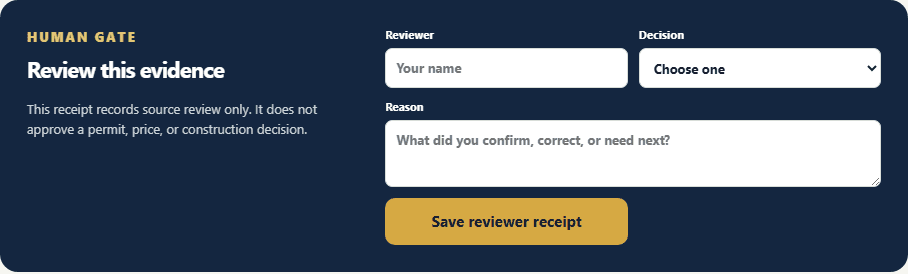
The human review gate in the Tom interface, with fields for reviewer name, decision and reason, and a save reviewer receipt button
The review gate, built but not yet exercised on a live job. The form asks for a reviewer, a decision and a reason, and the gate says in its own words that it records source review only, not a permit, a price, or a construction decision.

The same pattern in deal documents and leases

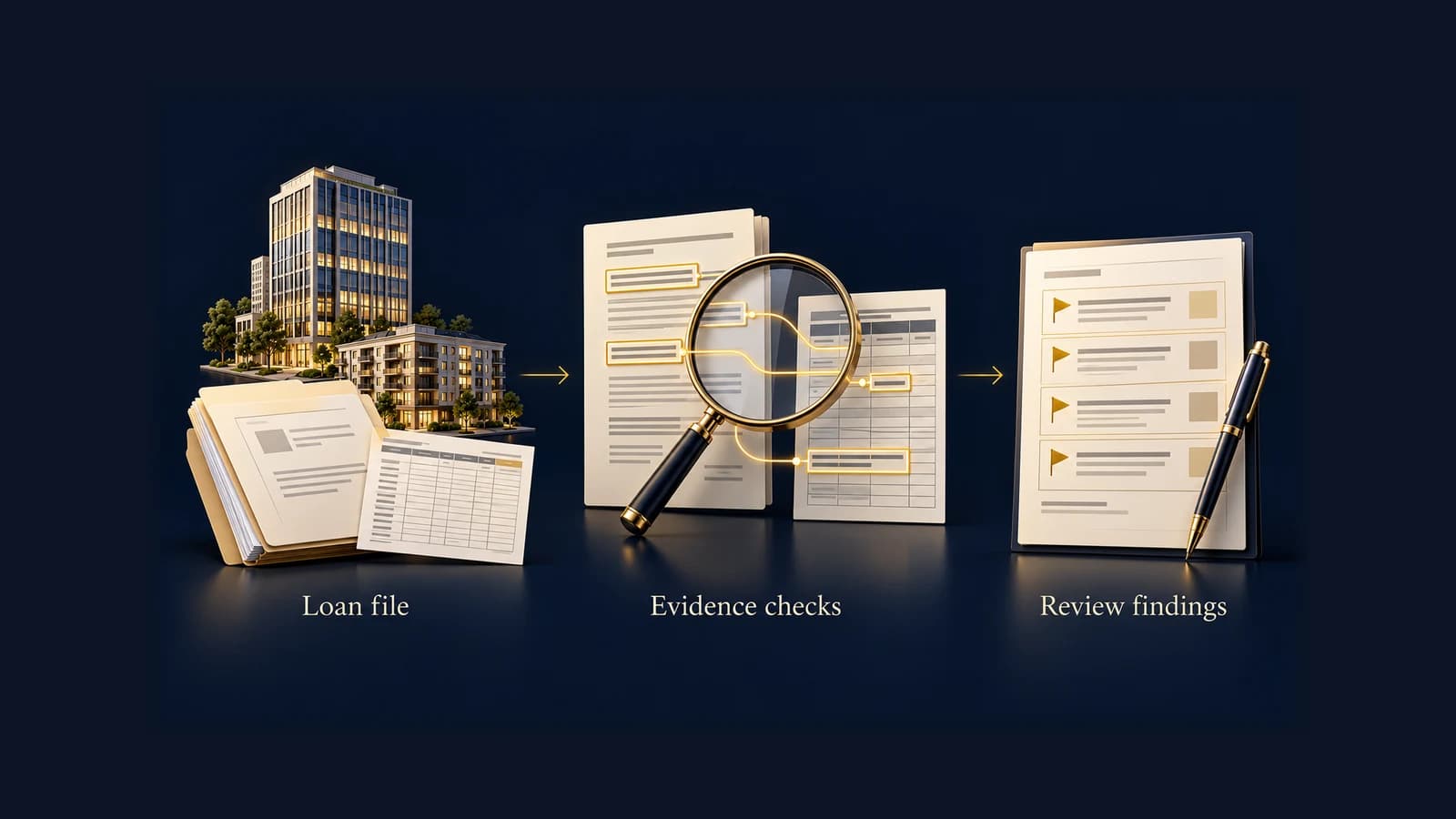
A renovation job is a scan, a scope and a quote. A commercial real estate deal is a loan file, a lease and a rent roll. Same shape: documents nobody can query, facts retyped by hand. The method carries across. The proof does not, until it is run on real documents.

Strip the trade out of this and the problem is not a construction problem. It is a pile of documents nobody can query, and the same facts typed again by hand into the system that eventually bills. A renovation job has a scan, a written scope and a quote. A commercial real estate deal has a loan file, a lease, a rent roll and a payment history, and the person reading it is hunting for the handful of sentences that change the number. Same shape, different paper.

So the method carries across, and the limits carry across with it. Read the source document instead of waiting for an integration. Keep every extracted fact tied to the page it came from. Put a named person on the approval and let the system draft, never send. I have written up how that reads on the commercial side in how distressed commercial loan review actually works. What I have not done is run a lease or a loan file through this particular build, so there are no numbers here from that world. The pattern transfers. The proof does not, until it is done on real documents.

Their hardware, their accounts, and who this is for

The plan is for the system to run on GreenBuilt's own box and their own accounts, with a daily spending cap and a backup and restore that gets proven before the module is accepted. Built that way, if we stopped working together, the system and the memory stay with them.

Module 6 is the one owners tend to care about once they understand it, and it is ahead of us rather than behind us. The system will run on GreenBuilt's own box and their own accounts, with a sign-in per person, a daily cap on what it can spend on AI in a day, and a backup and restore that gets run for real before the module is accepted rather than assumed. The point of building it that way is that if we stopped working together tomorrow, the system and the company memory stay in the building. The alternative, renting your own operating knowledge back from somebody else's platform, is a worse deal the longer it runs.

That is the shape of the work, and it is the shape I want more of. Pick the stretch of the business that actually hurts, build the memory first, put the assistants on top of it, keep a named person on every approval, and write down what is proven and what is not in the same sentence. GreenBuilt Co-Op and Wisdom Renovations are the current example, mid build, in public. If your operation reads like the one described up top, there is room to do this with you next.

Common questions

Answers to what people ask.

Does this only apply to construction?

No. The shape of the problem is a pile of documents nobody can query and the same facts retyped by hand into the system that bills. In construction that pile is a scan, a scope and a quote. In commercial real estate it is a loan file, a lease and a rent roll. The method is the same in both: read the source, keep every fact tied to where it came from, and leave the decision with the person accountable for it.

What is Tom?

Tom is the name the owner of GreenBuilt Co-Op gave the AI system we are building for his renovation business. It covers one stretch of the company: a lead arrives, and the system carries it through to the customer accepting an estimate and the job handing over to operations. It is organized as hats, where each role on the team gets its own assistant working off one shared company memory.

Can a MagicPlan scan be pulled straight into another system?

Not on this stack. There is no integration available to us that moves a MagicPlan scan into the rest of their tools, so the scan leaves the phone as a PDF report that somebody exports by hand. That is why the first piece we built reads the exported report itself and turns it into structured rooms, rather than waiting on an integration.

Has the system run a whole job end to end yet?

No. As of September 30, 2026, two pieces of the chain have run against real job data and passed: the plan reader and the quote engine's arithmetic and payment schedule. The rest exists as code with its own tests. No real job has travelled the whole chain, and we are not describing it as if one had.

What is a takeoff in construction?

A takeoff is the step where somebody turns a physical job into a list of work and quantities that can be priced: rooms, measurements, linear footage, cabinet runs, and which trade owns which part. It is the bridge between the site visit and the quote, and on a renovation job it is usually the slowest desk work in the office.

Sources

Where this comes from.

  • Wisdom RenovationsThe renovation contractor that operates alongside GreenBuilt Co-Op, named here with the owner's permission. The site confirms the company and its work; it says nothing about this build.
  • magicplanThe phone scanning app the field team uses to capture room measurements at a site visit. The vendor page describes the app and its exports; the plan reader described in this article is CMore Flo's own work, not a magicplan feature.

Next step

If your team retypes the same job into three systems, start there

Bring one job and the trail it leaves behind, from the site scan to the quote. We will map where the same facts get handled twice, and show you what a system takes off your team and what it does not.

Christopher J. Moreno

Written by

Christopher J. Moreno

Chris Moreno builds custom AI systems for business operations. His writing draws on the work behind these systems: intake, follow-up, document workflows, and the checks that keep people in control.

Published September 30, 2026 · Connect on LinkedIn

Our methodology

The Flo OS in practice

The approach behind this work follows the four phases of Flo OS, our operating methodology for turning messy business workflows into systems that run cleanly and compound over time.

See how we work →

Related reading

Keep reading.

All articles